Rule 1: one layer per job
Before choosing a sound, choose a job. A trailer impact has five: the sub (the weight you feel), the body (the hit, its pitch), the material (metal, stone, glass, wood: the character), the crack (the attack, the air) and the tail (the room). Two layers with the same job get in each other’s way; keep the better one.
Rule 2: one place in the spectrum
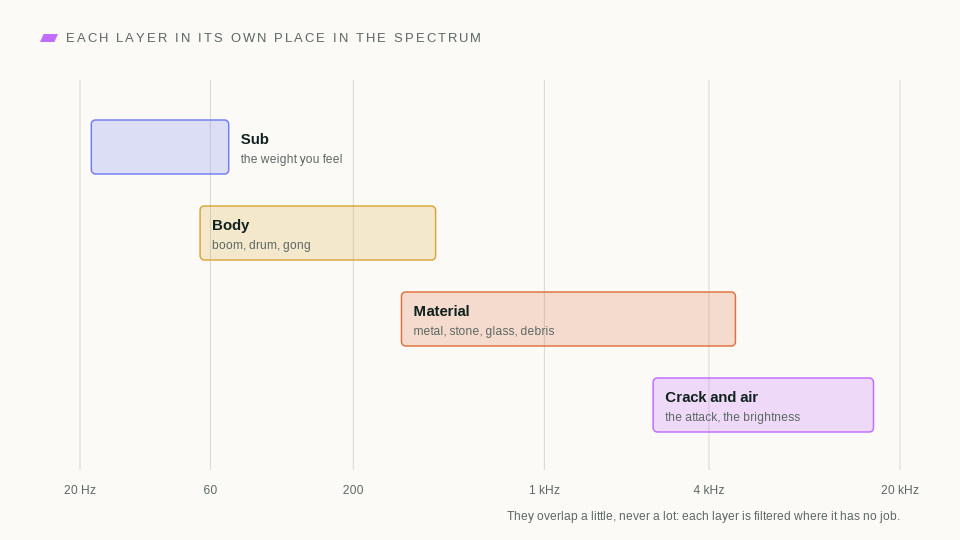
Filter each layer where it has no job: a low cut on the material and the crack, a high cut on the sub and the body. It’s not a loss: it’s what lets the other layers be heard. A “huge” impact is mostly an impact where each band is occupied by a single thing.
| Layer | Low cut | High cut | Stereo |
|---|---|---|---|
| Sub | — | 100 to 120 Hz | mono |
| Body | 40 Hz | 2 to 4 kHz | narrow |
| Material | 200 to 300 Hz | — | medium |
| Crack | 800 Hz to 1 kHz | — | wide |
| Tail (room) | 150 to 200 Hz | 8 kHz | very wide |
Rule 3: one shared attack
Almost every impact file has some silence or pre-echo before the hit. If the attacks don’t land at the same instant (within 1 or 2 ms), the impact spreads out and loses its definition. Zoom in and align the peaks, not the file starts.
Final step: glue the group
- One group: every layer on the same bus.
- Light compression (2 to 4 dB of reduction, a slow 20 to 30 ms attack to let the crack through): the layers breathe together.
- A shared room: the same reverb for the body and the material, so they seem to come from the same place.
- A touch of saturation on the group: it binds the layers and makes the impact audible on small speakers.
Layering in Nebula
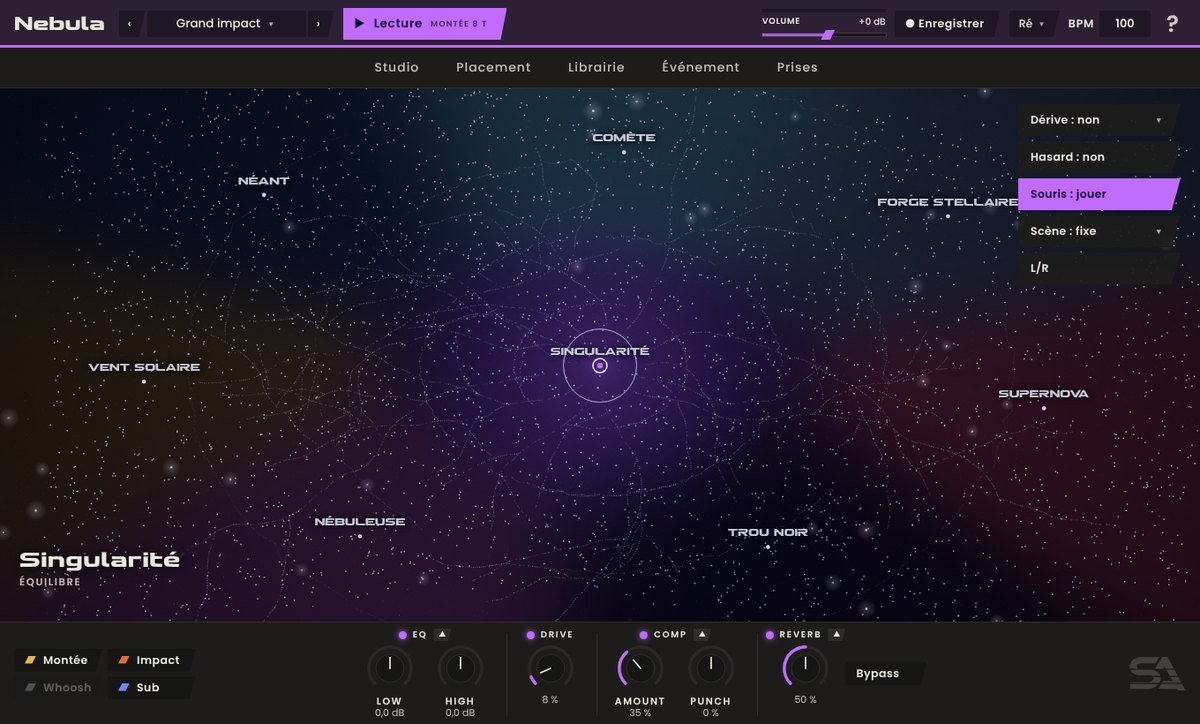
Nebula handles rule 3 for you: every sound in the bank is aligned on its attack and locks itself to the impact. In the Studio, each layer is a track: a click opens it on the right, with its mix (Level, low cut, high cut, room, drive) and two settings made for layering: Impact (attacks boosted or softened, from −100 to +100%) and Sub (the low end removed down to −24 dB, or a tuned sub hit added under each attack). The Master’s Comp glues the group: Amount to bind, Punch to keep the attacks up front.
Drag a sound from the Sounds list onto a track to replace it: it keeps the layer’s place, timing and effects.
| Layer | Source in Nebula | Mix |
|---|---|---|
| Sub | Subs › Boom | Sub: 0 dB, mono |
| Body | Impacts › Body (big drums) | high cut around 3 kHz |
| Material | Impacts › Metal or Debris | low cut around 250 Hz, Sub: −24 dB |
| Crack | Impacts › Snap | Impact: +50% |
| Tail | the Master: Reverb, Tail | opens on the impact |
Frequently asked questions
How many layers for a cinematic impact?
Three to five. Beyond that, each new layer must have a job no other layer has, or it blurs the whole.
Why does my layered impact sound weaker?
Often because two low layers partly cancel out (phase), or because the attacks aren’t aligned. Align the peaks and check the low end layer by layer.
Should I compress an impact?
Lightly, on the group, with an attack slow enough to let the crack through. Heavy compression flattens the impact instead of making it bigger.
Does layering work for whooshes and risers too?
Yes: a noise layer for the movement and a tonal layer for the color make a richer whoosh; a riser gains from stacking noise, tone and pulse.
Updated on November 23, 2026.