What makes a whoosh
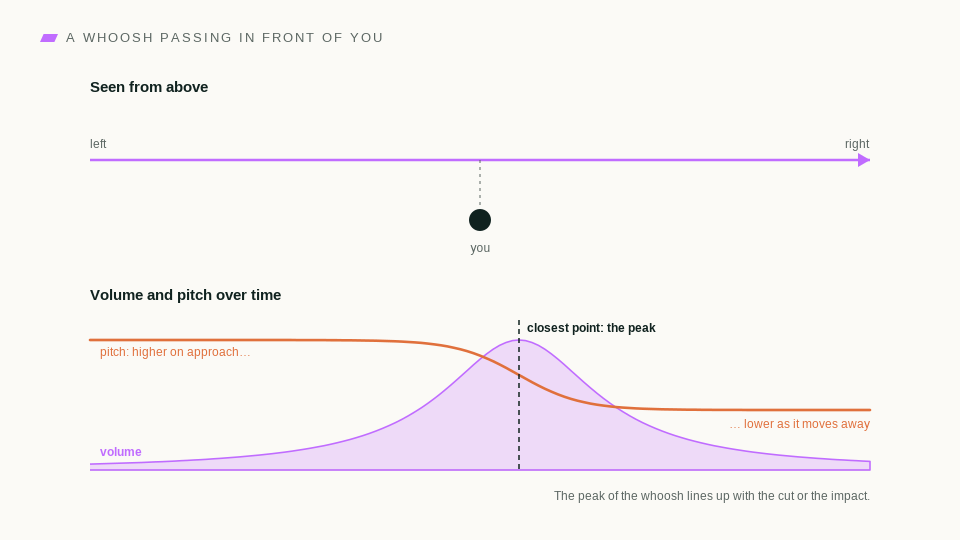
An object passing close to us doesn’t just make noise: it approaches, passes at its closest point, then moves away. Those three moments can be heard in the volume, the brightness, the pitch and the left-right position. A believable whoosh reproduces all four.
Step 1: choose the material
- Breath and wind: the soft “air” whoosh, for transitions and camera moves.
- Cloth, cape, stick: a short, dry whoosh for fights and gestures.
- Scraped metal, low strings: a tonal whoosh that has a note, for sci-fi and titles.
- Engine, jet: a heavy pass-by, for vehicles.
Step 2: the shape of the volume
The volume curve must be asymmetrical: an approach longer than the departure (two thirds before the peak, one third after). A symmetrical shape sounds like a fade, not a pass-by. For a fast whoosh, the whole curve fits in 300 to 600 ms; for a ship pass-by, 2 to 4 seconds.
Step 3: filter and Doppler effect
On approach, the filter opens (the sound gets brighter); as it passes, the pitch drops suddenly, from a semitone to a major third depending on the speed. That’s the Doppler effect, the siren driving by. A pitch curve that falls at the peak is enough to turn a breath into an object passing by.
Step 4: crossing the stereo field
Move the sound from left to right (or the other way) following the movement on screen. The pass through the center should coincide with the peak. Avoid very wide crossings on a low whoosh: the low end stays more centered than the top.
Step 5: line up the peak, not the start
On a transition, it’s the peak of the whoosh that must land on the cut (or one frame before). So place the whoosh by its loudest point, not by its start. If an impact follows, the whoosh can peak on it and melt into its tail.
Making a whoosh in Nebula
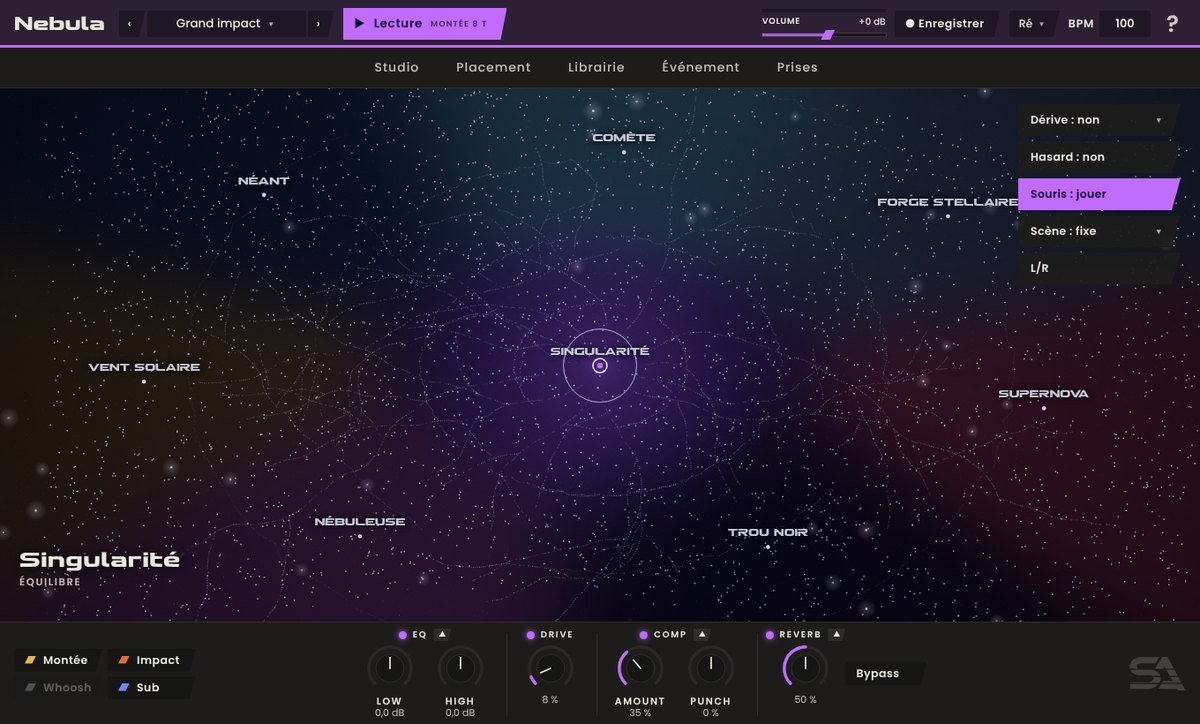
In the Library, choose Whoosh mode: the bank contains deep, tonal, airy, multiple and “into the cut” trailer whooshes. Each whoosh locks itself in place: its peak lands on the impact. In synthesis, the Pass-by, Tonal pass-by, Whip and Low Pass-by types are fully adjustable. In the Placement view, give it a trajectory (the sound travels from the start to the end of the layer) or an orbit: distance changes the volume and brightness, and movement changes the pitch, through the Doppler effect.
| Setting | Value | Why |
|---|---|---|
| Library: mode | Whoosh | Whooshes locked to the impact |
| Placement | trajectory left → right, in front of you | The crossing and the Doppler effect |
| Effect: Filter | low-pass with a rising Sweep | The sound opens on approach |
| Place | towards Solar Wind | More air and width |
| Reverb: Size | short | The movement stays tight |
Common mistakes
- A whoosh on every shot: the ear gets tired of it within three cuts. Keep them for real changes.
- Too much low end: a whoosh doesn’t need a sub. Cut below 80 to 120 Hz, except for a ship pass-by.
- Too much reverb: it smears the peak and blurs the timing.
Frequently asked questions
How do I make a whoosh from white noise?
Filter white noise with a band-pass, give it an asymmetrical volume envelope (long rise, short fall), open the filter on approach and drop the pitch slightly at the peak. Add a left-to-right pan.
Where should a whoosh go on a video transition?
Its peak should land on the first frame of the new shot, or one frame before. So you line up the whoosh by its loudest point, not by its start.
What’s the difference between a whoosh and a swoosh?
No real difference: swoosh often means a higher, shorter whoosh, like a gesture or a sword.
What is the Doppler effect in a whoosh?
It’s the pitch drop when a source passes close to you then moves away, like a siren. Reproducing that drop at the peak makes a whoosh much more realistic.
Updated on November 23, 2026.