Mixing a virtual piano and making it sound real
A virtual piano often sounds “boxed in”: too close, too hard, with no air. In the studio, it all comes down to mic placement, a few frequency zones and the room.
These tutorials explain piano mixing methods, then show how to apply them in SymphoniquePiano, a virtual mic plugin still in development whose interface you can already try.
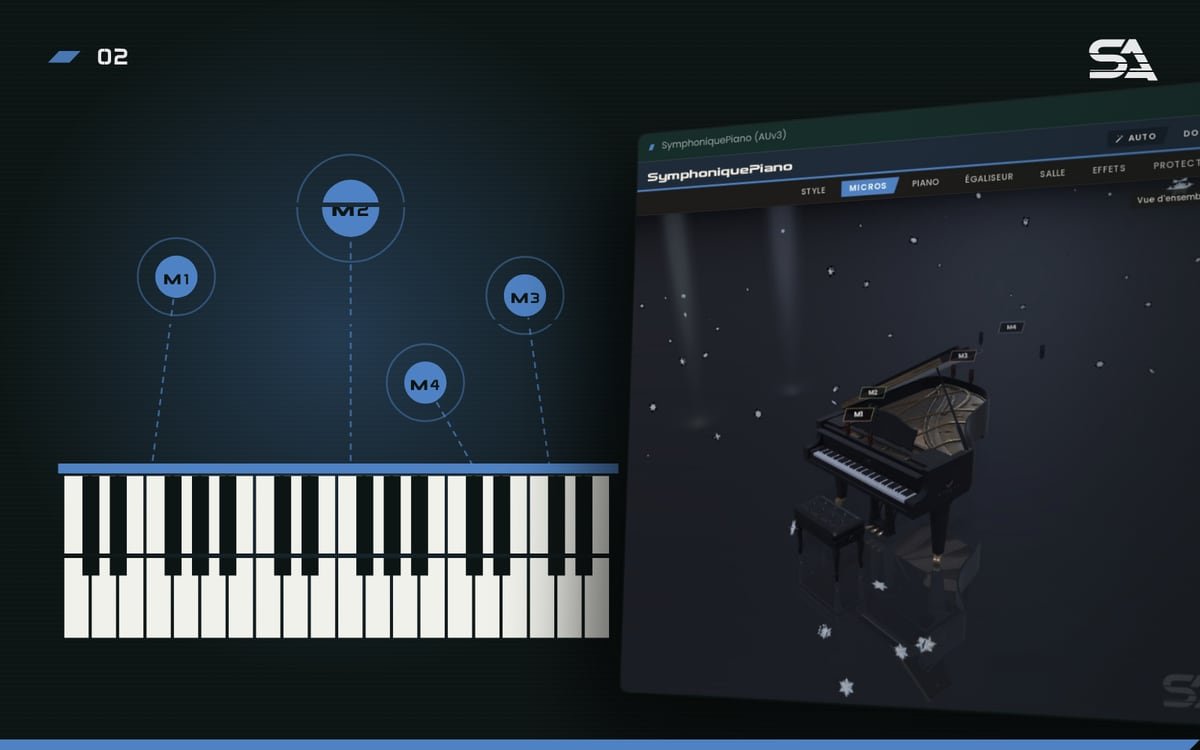
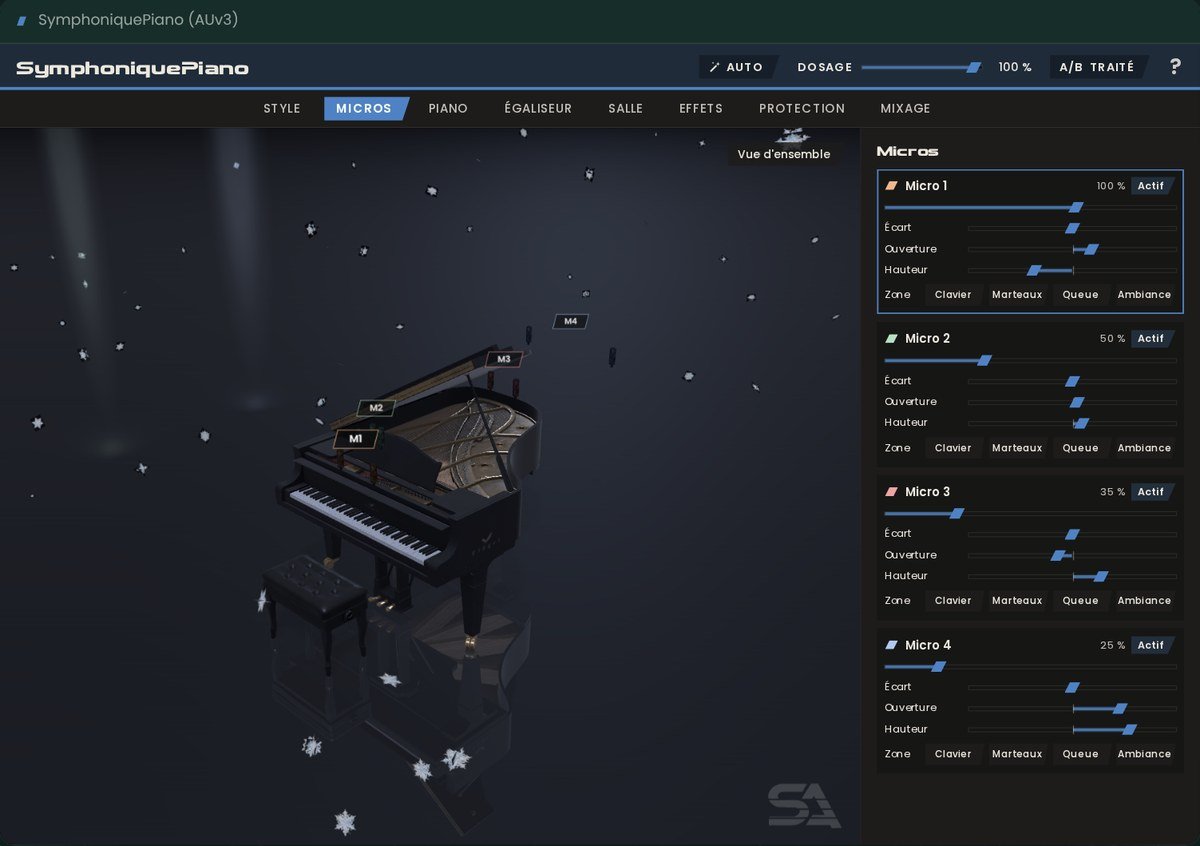
Four virtual mics around your piano, in a real room.
- Four virtual mics to place on the keys, the hammers, the tail or in the room: the color and distance of the piano change just like in the studio.
- The AUTO assistant listens to your playing for 18 seconds and suggests its settings.
- Twenty styles, from recital hall to dry studio, and a protected sound: Limiter, Mono bass, Phase guard, Level match.
All tutorials
How to mix a virtual piano: the complete method
Choose the perspective (close or room), clean up the lows, tame the harshness around 2.5 to 6 kHz, barely compress, then add a room that suits the piece.
Read the tutorial →SymphoniquePiano · IntermediatePlacing the mics of a virtual piano: positions and balance
One mic close to the hammers for attack, one toward the tail for warmth, one far away for the room: keep one as the lead and slide the others underneath.
Read the tutorial →SymphoniquePiano · BeginnerMaking a virtual piano sound real: playing, resonance and room
A virtual piano sounds real when the playing varies (velocities, pedal), the strings resonate with each other and it lives in a coherent room, with no effect that gives the machine away.
Read the tutorial →SymphoniquePiano · IntermediateEQ a piano: the frequencies to know and to fix
Cut rather than boost: a gentle Low cut, a little less 200 to 400 Hz if it's muddy, a dynamic cut around 2.5 to 6 kHz if it's harsh, a light shelf at the top if it's dull.
Read the tutorial →SymphoniquePiano · IntermediatePiano Reverb: natural room or creative Reverb?
A natural room to place the piano in a believable space; a creative Reverb (shimmer, cloud) for a deliberate effect. In both cases, use little and set the decay according to the tempo.
Read the tutorial →SymphoniquePiano · IntermediateMaking a piano work in an orchestral mix
First decide its role (soloist in front of the orchestra or an instrument of the orchestra), place it accordingly, choose more distant mics than for a solo piano, make it share the orchestra's hall, and clear its mids against the strings.
Read the tutorial →SymphoniquePiano · BeginnerSoftening a virtual piano that's too bright or too harsh
A harsh piano most often comes from mics too close to the hammers, velocities that are too high and an excess between 2.5 and 6 kHz that only shows up in the forte passages. Move the mics further away, review the velocity curve, then attenuate that range dynamically, only when it sticks out.
Read the tutorial →See these settings in SymphoniquePiano
Every tutorial builds on the same interface, playable on the plugin page.