Where does a piano's harshness come from?
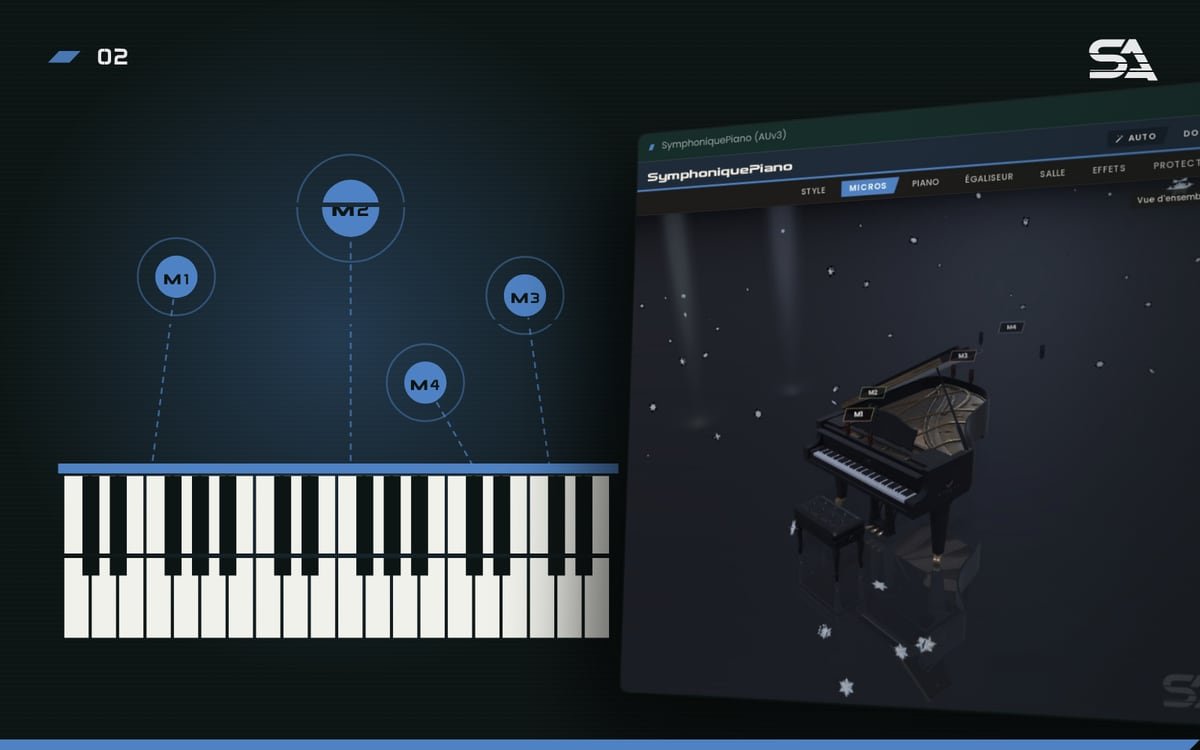
- Mics too close to the hammers: you mostly hear the felt hitting the string.
- Velocities too high: many virtual pianos switch sample layers above 100 or 110, and the top layer is very bright.
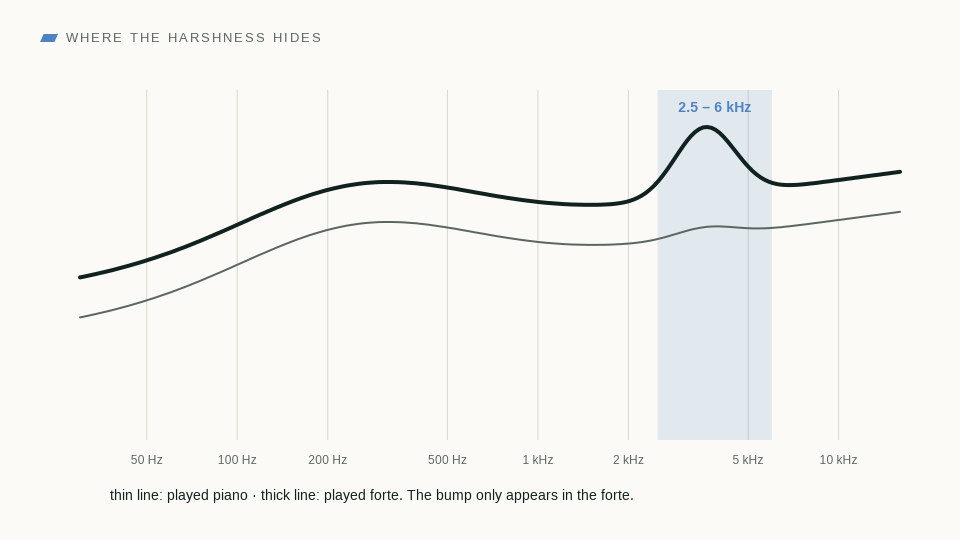
- Too much 2.5 to 6 kHz: that's where the ear is most sensitive, and that's where the piano “screams” at forte.
- The Reverb: a room that's too bright lengthens and amplifies the harsh highs.
Step 1: move the mics further away
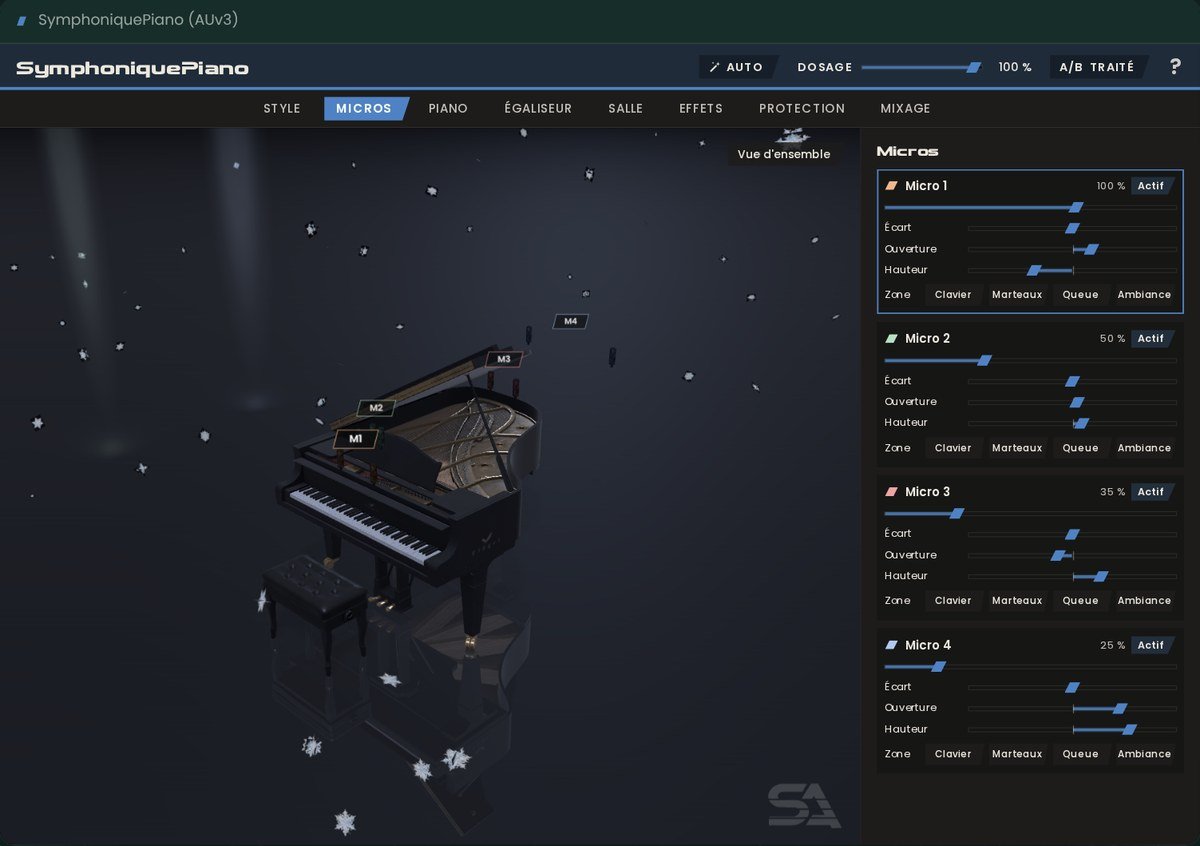
Before any EQ, change the recording. If your piano offers several mic positions, reduce the close mics and raise the more distant positions (toward the tail, or ambient). The piano softens naturally, just like in a real studio. See placing the mics of a virtual piano.
Step 2: review the velocities
Open the velocity curve of your keyboard or instrument and check that you're not hitting 120 to 127 without meaning to. A slightly softer curve, or a light ceiling, avoids the harshest layer. In a passage already recorded, lowering the velocities by 5 to 10 points on the loudest notes is often enough.
Step 3: dynamic EQ
A static EQ cutting 4 dB at 3 kHz softens the forte passages but also dulls the soft passages. The right solution is dynamic: the 2.5 to 6 kHz range is only attenuated when it goes over a threshold.
| Setting | Value | Why |
|---|---|---|
| Frequency | 3 to 4 kHz | The center of the harsh range |
| Width | wide (Q 0.8 to 1.2) | A gentle correction, not a notch |
| Maximum reduction | 3 to 6 dB | Just enough to remove the aggressiveness |
| Attack / Release | fast / medium | Follow the attacks without pumping |
Step 4: a warmer room
In the Reverb, reduce the treble decay: the highs die out faster than the lows, as in a wooden hall. The piano keeps its attack, but the Tail no longer amplifies the harshness.
With SymphoniquePiano
SymphoniquePiano applies these four steps in a single plugin: mics to move away from the hammers, a Dynamics control that brings back the contrast between soft and loud notes, a Softener that only cuts the 2.5 to 6 kHz range in the fortissimos, a Treble decay for the room, and a very gentle Air above 11 kHz. The piano's lid can also be half-open or closed to round off the sound. The A/B compares at the same volume, so you judge the sound and not the level.
Frequently asked questions
Why does my virtual piano sound metallic?
Most often: mics too close to the hammers, velocities that reach the brightest sample layer, and an excess between 2.5 and 6 kHz in the forte passages.
What frequency should you cut to soften a piano?
The 2.5 to 6 kHz range, preferably with a dynamic EQ that only acts on the loud passages. A static cut makes the piano dull.
Should you lower the highs of a piano that's too bright?
Not the extreme highs, which give the air. The harshness is in the high mids. A gentle shelf above 11 kHz can even bring back some openness.
Does velocity change a virtual piano's brightness?
Yes: sample layers played loud are brighter. Avoiding extreme velocities softens the sound without any processing.
Updated on October 30, 2026.