What makes one hall different from another?
Four things, found on almost every Reverb, even if the names change.
- Reverb time, or RT60: the time the sound takes to drop by 60 dB after the note stops. It's the length of the Tail.
- Treble decay: how fast the highs die out compared to the lows. A wooden hall absorbs them quickly and sounds warm. A stone church keeps them and sounds bright.
- Size: the distance between the walls. It decides when the Early reflections arrive. The bigger the hall, the later and weaker those echoes arrive.
- Useful band: a hall doesn't send everything back. The very low end gets blurry, the extreme highs die out.
Even before the decay, it's the geometry of the Early reflections that the ear recognizes. That's what says “small room” or “large hall” within the first few milliseconds. To understand this role, the guide to Reverb settings for orchestra explains the difference between Early reflections and Tail.
This interactive tool needs JavaScript.
Choose by the music, not by the preset
Three questions are enough in most cases.
- 1
What ensemble?
A large symphony orchestra needs a large volume. A quartet in a large hall sounds lost. Match the venue to the number of musicians.
- 2
What tempo?
The faster the music, the shorter the hall should be. A two-second Tail on fast sixteenth notes blends the notes together. Slow, sustained music can take, and even calls for, a longer hall.
- 3
Where is it going?
For picture, games or advertising, a more precise sound is often preferred, one that leaves room for dialogue and effects. For a recorded concert, you keep the hall clearly present.
A useful benchmark: renowned large concert halls are around 2 seconds of reverb. Churches often go beyond 4 seconds. Studios built to record film music are shorter, to keep precision.
Philharmonia's five halls and what they're for
| Hall | Default decay | What it's for |
|---|---|---|
| Large symphony hall | 2.30 s | Full orchestra, symphonic repertoire, big tuttis. |
| Medium concert hall | 1.90 s | Classical orchestra, smaller forces, faster music. |
| Scoring stage | 1.35 s | Music for picture, rhythmic passages, need for precision. |
| Church | 4.40 s | Choir, organ, slow and sustained music. |
| Chamber music | 1.15 s | Quartet, trio, small ensembles. |
Notice the range: from 1.15 s to 4.40 s. Switching halls doesn't change a detail, it changes the character of the whole piece. Listen to each one on your fastest passage and on your slowest passage before deciding.
A single hall for the whole project
This is the most important rule in this guide. Every track must play in the same place. If the strings are in a large hall and the brass in a studio, the ear hears two spaces, and the orchestra comes apart. This also applies when you use Reverbs as inserts on each track: same hall, same decay, everywhere.
How to compare two halls without fooling yourself
Comparing halls by ear is trickier than it seems. A longer hall almost always sounds more beautiful at first, because it adds volume and shine. It's a level illusion, not a better choice.
- 1
Match the perceived level
Before comparing, adjust the output so both versions sound equally loud. Otherwise, the louder one wins.
- 2
Listen to the fastest passage
That's where the hall gives itself away. If fast notes get muddled, the hall is too long for this piece.
- 3
Listen to the end of a chord
Stop on a held chord and listen to the Tail. It should fade out smoothly, without rumbling or hissing.
- 4
Listen in context
If the music goes with picture or a voice, listen with them. A hall that's superb on its own can mask everything once in the mix.
What about chamber ensembles?
A quartet or a wind quintet usually plays in a smaller venue than an orchestra. If your piece only has a small ensemble, take a chamber hall rather than a large hall set shorter: size also changes the Early reflections, and that's what makes the ensemble sound intimate. On the other hand, if a small group plays in the middle of a piece for large orchestra, keep the project's hall: you stay in the same place, only the forces change.
Adjusting the hall once chosen
The preset is a starting point. Three settings let you adapt it without changing venue.
- Shorten the decay if the music is fast or if the harmony gets blurry on chord changes.
- Lower the treble decay if the Tail hisses or sounds metallic. The hall gets warmer, more wooden.
- Change the size to bring the walls closer or push them away. Walls further away delay and weaken the Early reflections: the space feels bigger without necessarily lasting longer.
Keep in mind that the hall is only part of the job. Each section's place matters just as much: the guide on placing instruments on the virtual stage takes care of that.
With Philharmonia: choosing and setting the hall
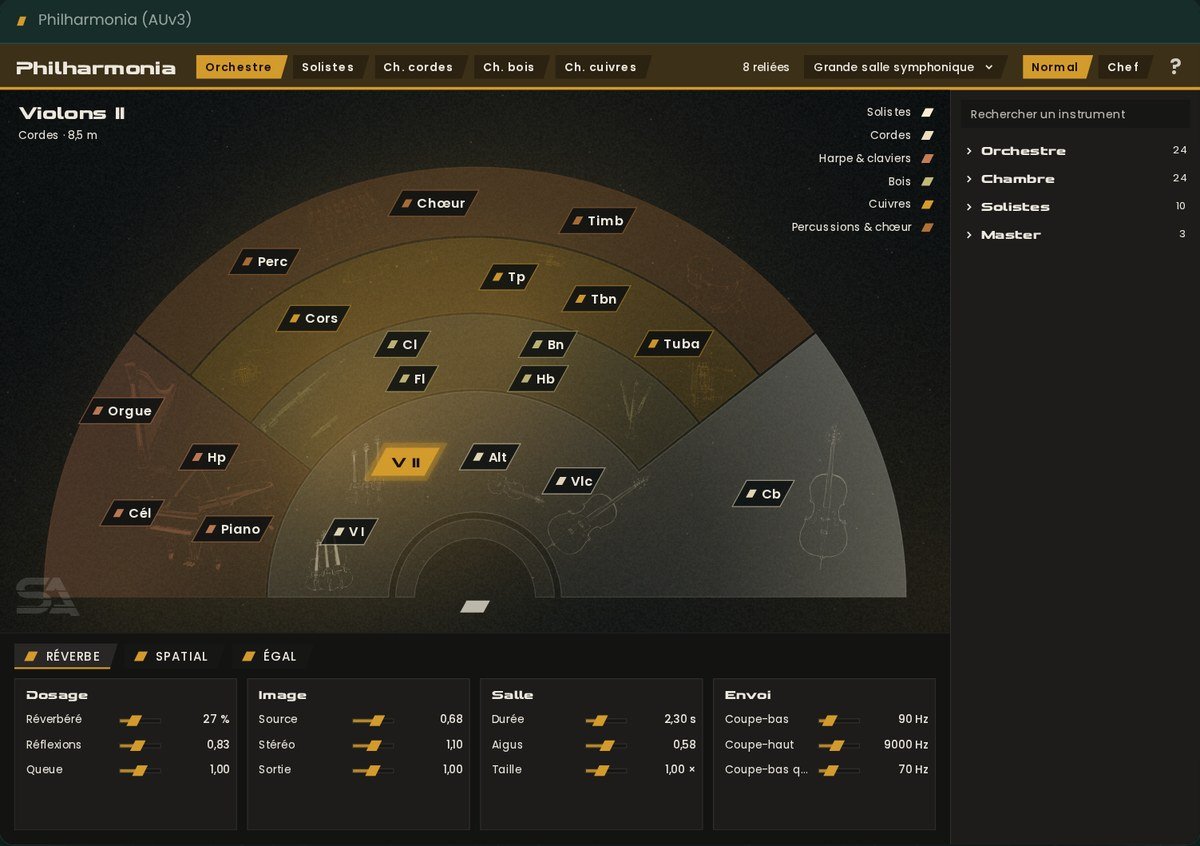
In Philharmonia, you choose the hall from the menu at the top of the interface. This choice does more than change a preset.
- 1
Choose the hall before dosing
Choosing one sets its decay, how long its highs last and the band it accepts, and rescales the wet amount to the venue. Make this choice first, otherwise your wet settings will be recalculated.
- 2
Use the same one in every instance
Philharmonia is used with one instance per track. Check that they all show the same hall. The linked instances counter tells you how many Reverbs in the project can see each other.
- 3
Adjust in the Room panel
Decay (the time to drop by 60 dB in the lows), Treble (how long the highs last) and Size (the dimensions of the venue, without touching its materials).
- 4
Check in Conductor mode
Conductor mode shows every Reverb in the project in its place on a single plan, and lets you set them remotely. Handy for checking consistency.
The decay times are those of Philharmonia's halls; the usage tips come from standard acoustics. Listen on your fast and slow passages.
| Symphony orchestra | Large symphony hall, 2.30 s | The volume of a large orchestra. |
|---|---|---|
| Rhythmic music for picture | Scoring stage, 1.35 s | Precision and room for the rest of the soundtrack. |
| Quartet, trio | Chamber music, 1.15 s | A small venue for a small ensemble. |
| Choir, organ, slow piece | Church, 4.40 s | Stone keeps the highs and lengthens the Tail. |
| Hissing Tail | Lower Treble | The hall gets warmer. |
| Blurry harmony | Shorten the Decay | Chords no longer spill into each other. |
For the complete method, from preparing the tracks to balancing the families, see the guide on mixing a virtual orchestra.
Frequently asked questions
What Reverb time for a symphony orchestra?
Large concert halls are around 2 seconds. Philharmonia starts at 2.30 s for its Large symphony hall. For fast music, a slightly shorter hall keeps things clear.
Scoring stage or concert hall, which one?
The scoring stage gives a more precise and shorter sound, useful for music for picture or rhythmic passages. The concert hall gives more size and Tail. Choose based on the tempo and where the music is going.
Can you put a church on a full orchestra?
Yes, but carefully. A decay of more than 4 seconds suits slow music, choir or organ. On fast passages, the notes blend and the harmony gets blurry.
My samples already have Reverb, should I add more?
Often a little, to put every library in the same place. But choose a shorter hall or lower the wet amount, so you don't stack two halls. If the library offers close mics, start from those.
Should each instrument family have a different hall?
No. Every family must play in the same hall, otherwise the orchestra comes apart. What changes from one family to the next is the distance, so the wet amount and the Early reflections, not the venue.
Updated on October 30, 2026.