What happens when you program with the mouse
When you draw notes with the mouse or the pencil tool, the sequencer gives them a default velocity, often the same for all of them. When you play on the keyboard and then quantize at 100%, every note lands right on the grid. Either way, you remove what sets a musician apart from a machine: variation.
A real pianist, violinist or drummer never strikes twice exactly the same. These variations aren't flaws: they carry the phrasing, the accents, the breathing. The ear expects them, even without consciously noticing them. When they're missing, it feels it right away.
Cause no. 1: every note has the same velocity
It's the most common cause and the most audible. Velocity is the strength of the strike, a number from 1 to 127 sent with each note. On a sampled instrument, it doesn't just change the level: it often picks a different sample layer, recorded softer or louder, with a different tone. A soft note is darker, a loud note brighter and with more bite.
If all your notes are at 100, the instrument plays the same layer, with the same tone, every time. Even if the melody moves, the color of the sound stays frozen. That's what gives that plastic feel.
The machine-gun effect on repeated notes
The effect is even worse on repeated notes: eighth-note hi-hats, a string ostinato, a hammered piano chord. If the same note comes back with the same velocity, the instrument can replay exactly the same sample on every hit. It's called the machine-gun effect: the same attack in bursts, which immediately gives away the artificial origin.
Many sound libraries limit this problem with round robins: several takes of the same note at the same strength, played in turn. It helps, but it doesn't replace real velocity variation, which also changes the layer and the level. And not all libraries have them, or enough of them.
Cause no. 2: no accent, no phrase
Even with velocities that vary a little, a part can stay mechanical if it has no shape. Music has a hierarchy: in a 4/4 bar, beat 1 is the most stressed, beat 3 a little less, beats 2 and 4 lighter, the offbeat notes lighter still. In pop and rock, the snare flips that by marking beats 2 and 4.
At the scale of the phrase, it's the same: a melody rises toward a peak, then settles. An accompaniment grows before a chorus. Without these movements, even varied notes sound like a series of events instead of a phrase. The method for placing these accents is detailed in humanizing with layers and movements.
Cause no. 3: randomness instead of dynamics
Many people fix cause no. 1 with the sequencer's randomize function, and get a different problem. Most of these functions draw at random uniformly within a range: with plus or minus 20 around 80, a note at 60 is as likely as a note at 80. The playing becomes unstable, like a musician who can't control their hand.
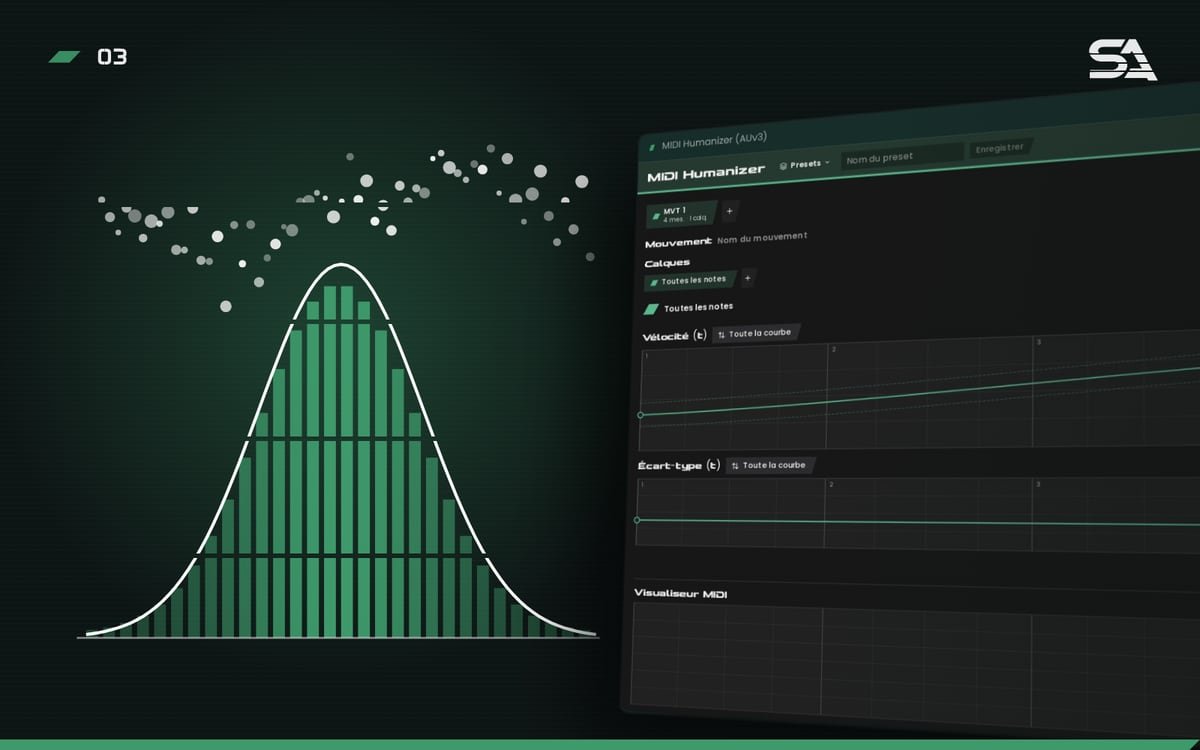
A musician aims for a dynamic and most often lands very close, with rare clear misses. That's the shape of a normal distribution, the bell curve. The difference is explained with numbers in velocity curve and standard deviation.
The other causes, to check next
- Quantizing at 100%: every note right on the grid. In Logic Pro, a lower quantize strength keeps part of your played placement.
- All identical lengths: notes cut at exactly the same length, especially on piano and strings, sound drawn.
- Sound too dry or poorly placed: an instrument with no space around it seems stuck to the speakers. See adding depth to a sample library.
- Unidiomatic writing: chords impossible to play for one hand or one section also give the programming away.
This guide focuses on velocity, because it's often what makes the most difference for the least effort.
How to diagnose your part in 5 minutes
- 1
Look at the piano roll colors
In Logic Pro's piano roll, the color of the notes follows their velocity. If your whole part is a single color, you've found your culprit.
- 2
Select a note and read its velocity
The inspector's velocity slider shows the value. Select several notes: if the value doesn't move, they're all identical.
- 3
Listen to the repeated notes in solo
Isolate a passage of repeated notes, a hi-hat for example. If you hear an identical burst, that's the machine-gun effect.
- 4
Sing the phrase
Sing the melody, exaggerating the dynamics. Where your voice swells, your velocities should rise. If they're flat, so is your phrase.
- 5
Compare with a recording
Listen to a real musician play a similar passage. Note where they lean in and where they lighten up, then compare with your part.
Fixing it: the method, then the plugin
The fix comes down to three moves: draw a phrase dynamic, accent according to the position in the bar, then add small deviations around that line. You can do it all by hand in the piano roll, following how to vary MIDI velocities. The complete guide is in how to humanize MIDI.
Values to get out of the robot effect fast. Adjust by ear, depending on your library.
| Part average | around 70 | Keeps headroom up and down |
|---|---|---|
| Accent on strong beats | +8 to +15 | Audible without being a caricature |
| Deviation around the line | standard deviation 10 | The starting value shown on the Gauss Shifter page |
| Repeated notes | never the same value twice in a row | Breaks the machine-gun effect |
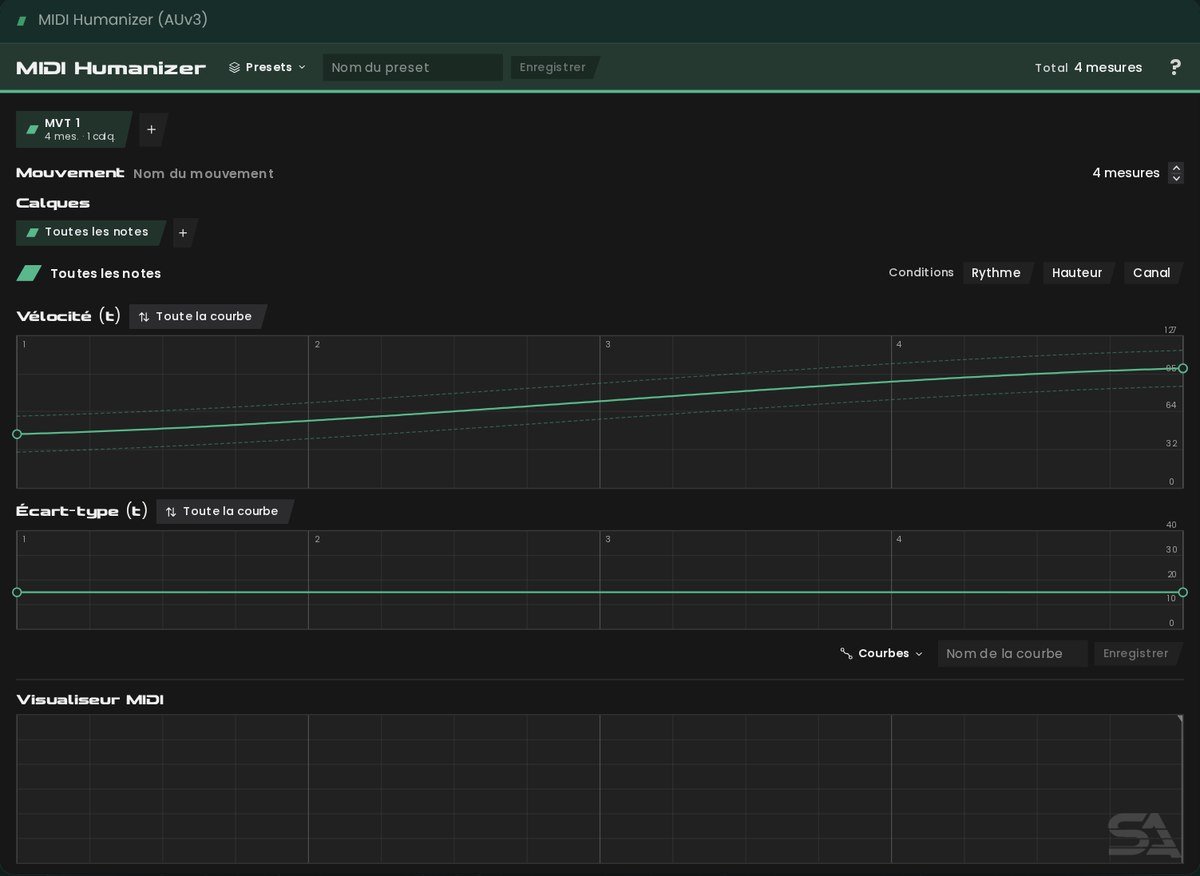
With Gauss Shifter, coming soon, this work is done without editing notes one by one. The plugin sits in front of the instrument, as a MIDI effect, and calculates the velocity of each note from a curve you draw, plus a spread set by the standard deviation. The deviations follow a normal distribution: as the plugin page puts it, clear misses stay rare, as with a musician.
To check the result, the visualizer shows the last eight seconds, note by note. Each dot is a note, at its pitch. Its size and brightness follow the velocity: a robotic part gives a row of identical dots, a humanized part dots that grow and shrink with the phrase.
Frequently asked questions
Why does my virtual piano sound wrong when the notes are right?
Most often, every note has the same velocity. The piano then replays the same sample layer, with the same tone, and the phrase has no dynamics. Vary the velocities following the melody and the bar, and the same sound comes alive.
What is the machine-gun effect in MIDI?
It's what you hear when a repeated note triggers exactly the same sample on every hit. The identical attack in bursts sounds like a machine gun, hence the name. You fix it by varying the velocity of each note, and with round robins when the library offers them.
Should you unquantize to sound human?
It can help, but it's not the first thing to do. A well-quantized part with nuanced velocities often sounds more natural than an unquantized part with flat velocities. Work on velocity first, then lower the quantize strength if the groove is still stiff.
Does velocity randomization solve the problem?
It breaks identical values, but uniform randomization makes big deviations as frequent as small ones, and brings no phrasing. The result often sounds unstable. You need an intention, then mostly small deviations around it.
Does Gauss Shifter also fix timing?
Gauss Shifter works on velocity: it calculates the strength of each note from your curve and the standard deviation. For note placement, use your sequencer's quantize tools.
Updated on October 22, 2026.