Why a frozen sound doesn't work
The ear gets used to what doesn't change very quickly. After a few seconds, an identical held sound moves into the background, then drops out of attention. That's useful for a discreet drone, but not for a pad, a lead or a texture that has to carry a scene.
Acoustic instruments don't have this problem: a held cello note constantly changes bow, pressure, vibrato. Making a synth evolve means giving it back these micro-variations, and sometimes big gestures.
1. Automatic movement, inside the sound
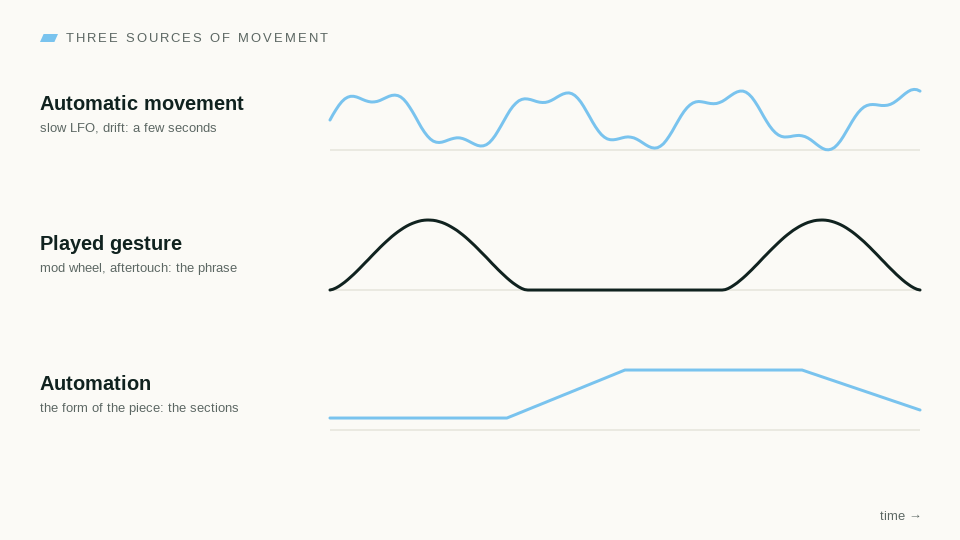
It's the movement the synth produces on its own: a slow LFO on the filter, a sweep, a varying detune, a tone that transforms. It provides the background life.
- Very slow: 5 to 30 seconds per cycle for pads. Above one or two per second, you hear an effect (wah, vibrato), not a movement.
- Low depth: it should be felt more than heard.
- Non-multiple speeds: two movements at 4 and 8 seconds line up again and give the loop away; 5.3 and 13 seconds, never.
- A touch of randomness: a slow random drift never goes down the same path twice.
2. The gesture played on the keyboard
It's the most musical movement, because it follows the phrase. On a MIDI keyboard, three controls are enough:
| Control | MIDI controller | What to assign it to |
|---|---|---|
| Mod wheel | CC1 | Intensity, tension, vibrato |
| Aftertouch | pressure | Brightness, filter opening |
| Expression pedal | CC11 | Expressive volume, crescendos |
| Rotary knobs | CC71, CC74, CC91… | Tone, room |
3. Automation, for the form of the piece
Automation drawn in Logic is for the big gestures: the sound opens up at the start of the chorus, closes in the bridge, the room grows at the end. You think of it in sections, not notes.
- 1
Find three or four key moments
Start, build, peak, return to calm. One automation per section, not a curve that moves everywhere.
- 2
Automate few parameters
One tone setting (brightness or tension) and one space setting are often enough. More parameters means more risk of conflict with the automatic movement.
- 3
Prefer ramps to jumps
A filter opening over two bars sounds musical; a jump from one value to another sounds like a cut.
With Relief: the map, drift and controllers
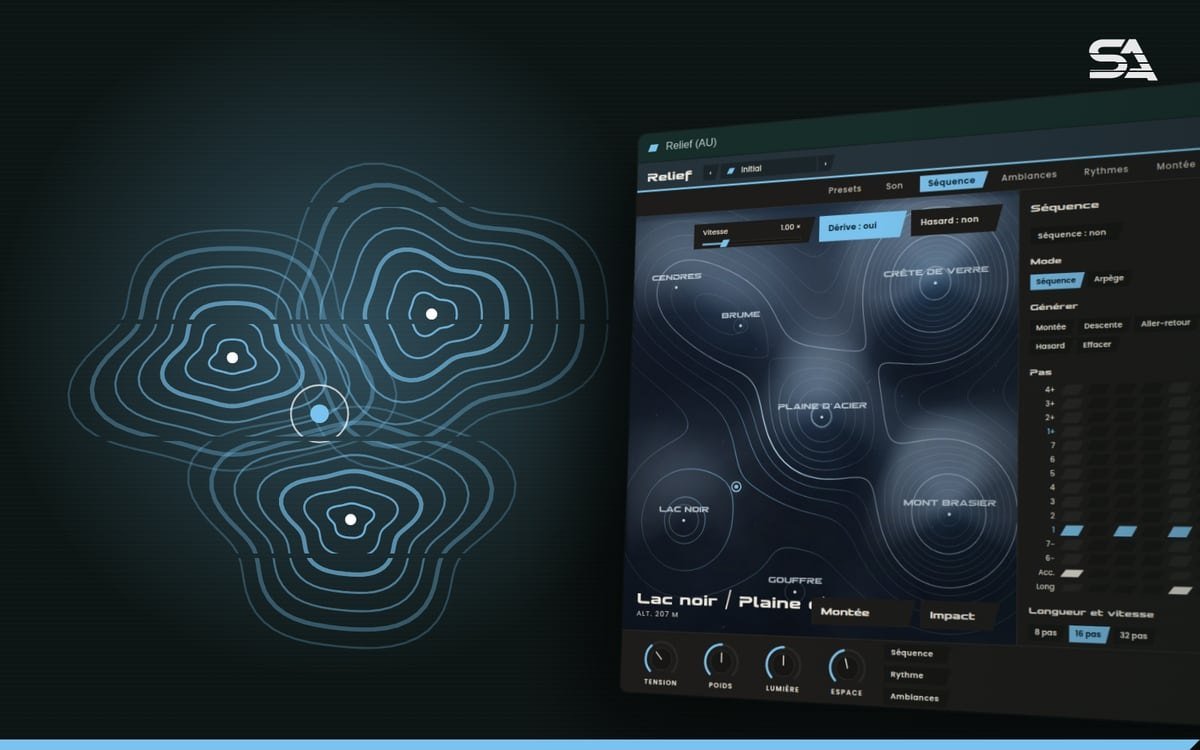
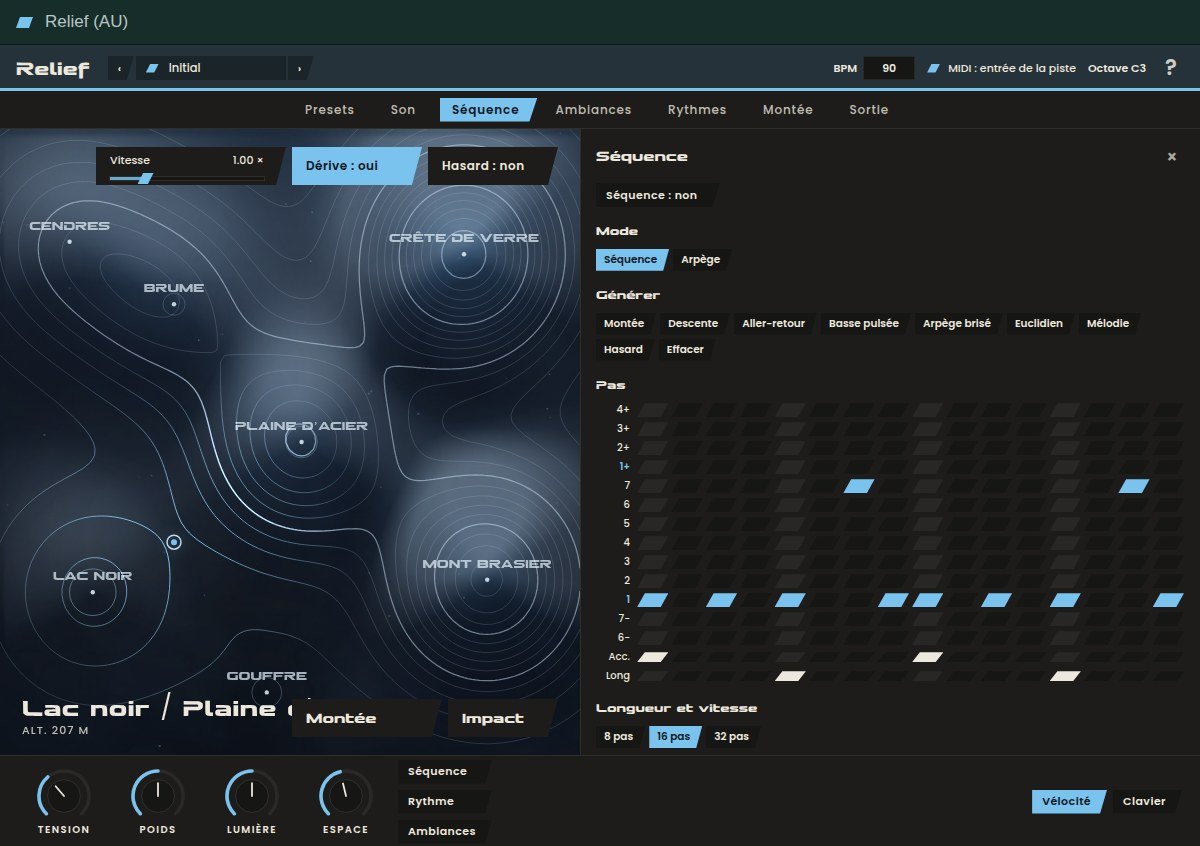
In Relief, the tone isn't a list of settings but a position on a map. Making the sound evolve means moving that point. The plugin does it in three ways, which match the three movements above.
- Drift: the point travels the map on its own, at the chosen speed. The tone slowly moves from one place to another: Fog, Glass Ridge, Ashes…
- Random: from time to time, the position and the four controls are drawn at random. For unpredictable textures.
- The MIDI keyboard: the mod wheel drives Tension, aftertouch and CC74 drive Brightness, CC71 Weight, CC91 Space.
- Logic automation: 34 parameters can be controlled from the host.
The traps
- Everything moves at once: the sound becomes unstable and tiring. One or two movements at a time, at different speeds.
- The movement hides the music: if you notice the effect before the melody, reduce its depth.
- Automations that fight each other: an automation drawn on a setting already modulated by an LFO gives unpredictable results. Automate the LFO depth instead.
- The sound changes between two playbacks: with drift or randomness, every playback is different. For a fixed final mix, bounce the track to audio once you've found the right version.
Frequently asked questions
What LFO speed for a pad?
Between 0.03 and 0.2 Hz, so one cycle every 5 to 30 seconds. Faster, the movement becomes an audible effect (wah, vibrato).
Is it better to automate or to play the controllers?
Play what follows the phrase (crescendos, intensity), automate what follows the form of the piece (sections, peak). The two complement each other.
How do you keep the same version of a random sound?
Bounce the track to audio once the take works. It's also lighter on the computer.
Which MIDI controllers should you use for tone?
The mod wheel (CC1) and aftertouch are on almost every keyboard. CC71 and CC74 are often assigned to tone and brightness, CC91 to Reverb.
Updated on October 30, 2026.