The anatomy of a riser and an impact
A riser and an impact form a single gesture in two parts. The riser creates anticipation, the impact resolves it. The whole art is in the tipping point.
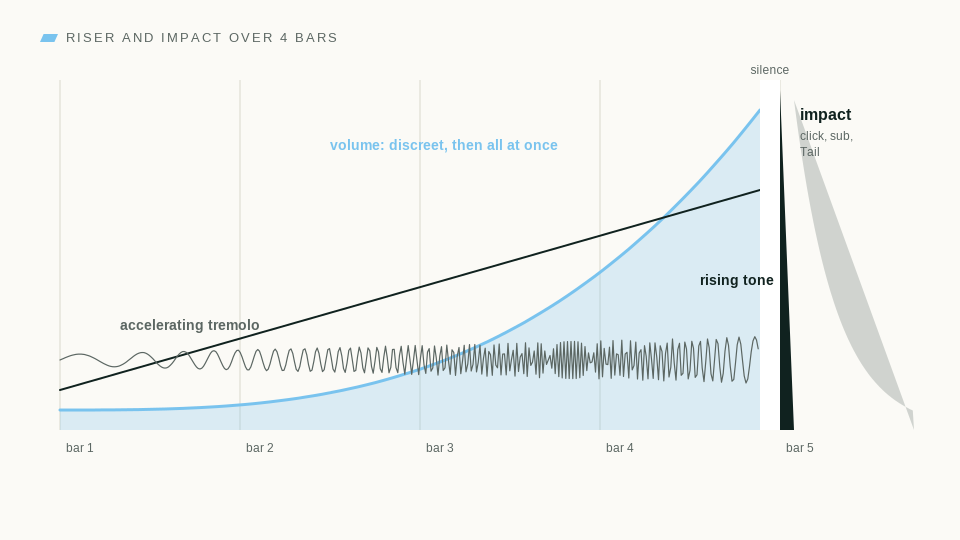
- The noise: a filtered noise whose filter opens from low to high. It's the feeling of speed, the growing "whoosh".
- The tone: a note or a chord whose pitch rises. It's the harmonic tension.
- The tremolo: a volume pulse that speeds up. It's the urgency, the racing heart.
- The silence: a gap of a few hundredths of a second just before the hit. That's what creates the surprise.
- The impact: a very brief click for the attack, a deep sub for the weight, a Tail that rings out in the room.
Step 1: lock the length to the music
A riser has to land exactly on the downbeat of a bar, the one where the scene changes. So you count it in bars, not seconds: 2 bars for a quick transition, 4 for a classic riser, 8 to 16 for an end-of-trailer riser.
Step 2: set the three rising layers
| Layer | Start | End | Curve |
|---|---|---|---|
| Noise (filter) | 200 to 400 Hz | 8 to 12 kHz | slow at first, fast at the end |
| Tone (pitch) | the chord's low note | one to two octaves higher | steady |
| Tremolo (speed) | 2 to 4 beats per second | 16 to 25 | speeds up at the end |
| Volume | discreet | full | gently, then all at once |
The volume curve is the most important setting. A linear rise sounds like a fade; an exponential rise (that stays discreet for a long time then swells all at once) really creates tension. It's the same for the filter: it should open mostly in the last few seconds.
Step 3: the silence before the hit
The reflex is to keep rising until the last moment. It's often a mistake: an impact that arrives on a riser still at full level gets masked by it. Cut everything between a sixteenth and an eighth before the beat (60 to 250 ms depending on the tempo). The brain hears the void, waits, and the impact seems twice as loud.
Step 4: build the impact
- 1
The click
A few milliseconds of bright sound, almost a noise: it's the attack you hear on small speakers. Without it, the impact is soft.
- 2
The sub
A very low note (30 to 60 Hz) that drops slightly in pitch at the start: it's the weight, what you feel in the theater. Keep it in mono.
- 3
The Tail
The resonance in a large room, from 2 to 6 seconds. It carries the next scene and should be filtered in the low end so it doesn't smear.
With Relief: the riser in one button
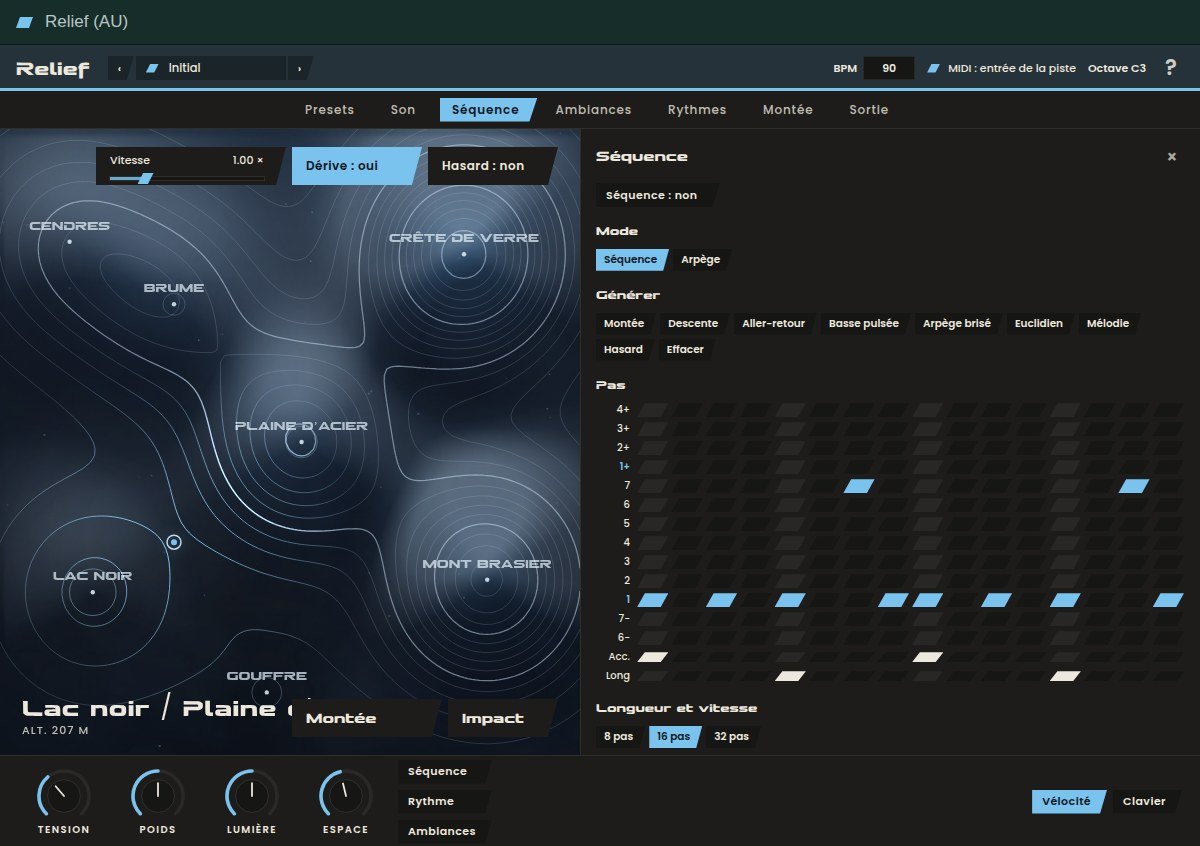
Relief brings all this together in its Rise tab. The riser is locked to Logic's tempo, its length is set from one to sixteen bars, and each layer has its own settings.
A starting point to adjust by ear, with the Test button (three seconds) before launching the real riser.
| Setting | Value | Why |
|---|---|---|
| Duration | 4 bars | The classic riser |
| Sweep start / end | low / all the way up | The noise crosses the whole spectrum |
| Volume curve | slow then all at once | The tension concentrates at the end |
| Tremolo: speed | high | The urgency of the last seconds |
| Silence before the hit | short | Surprise without breaking the rhythm |
| Sub depth | low | The weight of the impact |
| Tail length | long | The resonance carries the next scene |
The Impact button plays the hit alone, without the riser: handy for punctuating a picture cut. For the pad itself, see creating a cinematic pad.
Placing the riser in the mix
- Quieter than you'd think: a riser that's too present gets tiring and steals the impact. It should be clear in the last bar, not before.
- It stops dead: no Reverb lingering over the silence. If the riser goes through a Reverb, cut the send before the gap.
- One impact at a time: two stacked impacts from different libraries mask each other and sound blurry. Pick one, or give them different registers (one low, one bright).
- With an orchestra: make the impact coincide with the orchestra's accent (cymbal, timpani, brass chord). See blending synth and orchestra.
Frequently asked questions
How long should a trailer riser be?
Four bars is the classic length. Two bars for a quick transition, eight to sixteen for the big final riser. Count in bars, so the impact lands on the downbeat.
Why put a silence before the impact?
The void makes the ear wait: the impact that follows seems much louder. Without silence, the impact is partly masked by the end of the riser.
How do you make an impact more powerful without turning it up?
Take care of the attack click (you hear it even on small speakers), put the sub in mono, and leave a gap just before. Perceived power comes from contrast more than level.
Do you need a riser on every transition?
No. Save it for real scene or section changes, otherwise it loses its effect. In between, a simple impact or a short whoosh is enough.
Updated on October 30, 2026.